Supra Move IDE
Supra IDE is a browser-based development environment for writing, compiling, and deploying Move smart contracts on the Supra blockchain. This guide will walk you through its key features and how to use them effectively.
Supra IDE is LIVE: IDE.Supra.com↗
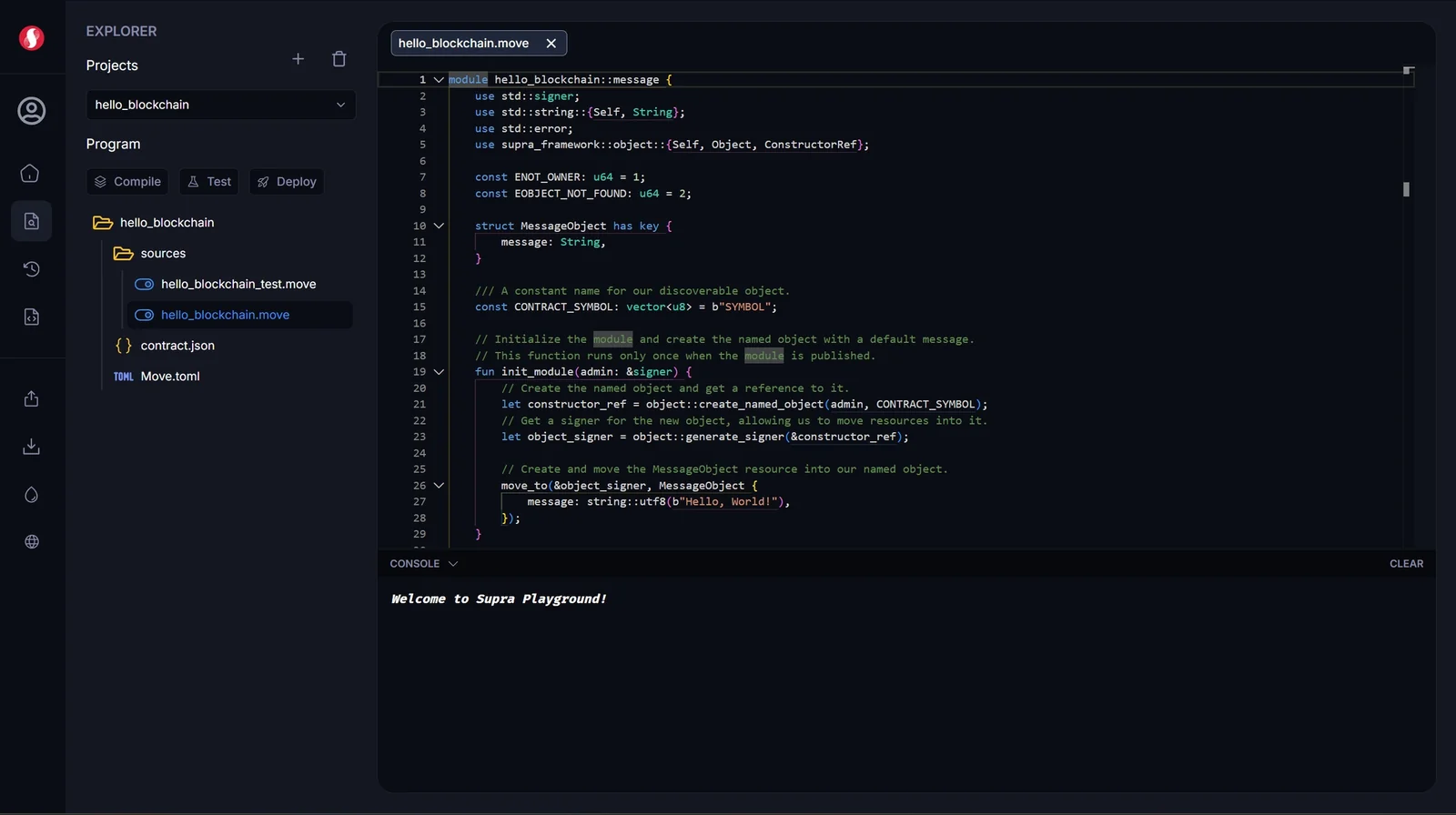
These are the main components of your workspace:
- Editor: This is the large area where you write and edit your code.
- Multi-Tab Support: Open and manage multiple files at once, just like in VS Code.
- Syntax Highlighting: Provides full color and syntax support for Move, TOML, and Rust files.
- Auto-Save: All changes to your files are saved automatically.
- Console: The panel at the bottom of the screen shows the output from all actions.
- Real-time Feedback: See the results from compiling, deploying, and testing as they happen.
- Read-Only: You cannot type commands directly into the console; it is for viewing output only.
- Controls: You can Clear the console history or use the arrow icon to toggle its visibility.
Last updated on