Using --type-args in Automation
When registering automation tasks for functions that use generic types, you must specify the concrete types using the --type-args parameter.
Working Example
Move Module: Auto Top-up with Generics
✅
Get Step by Step Guide to Setup Your First Automation Module HERE.
source.move
module exampleaddress::typearg {
    use supra_framework::coin;
    use supra_framework::supra_coin;
    use supra_framework::supra_coin::SupraCoin;
    public entry fun auto_topup<CoinType>(
        user: &signer,
        target: address,
        threshold: u64,
        amount: u64,
    ) {
        let target_balance = coin::balance<CoinType>(target);
        if (target_balance < threshold) {
            coin::transfer<CoinType>(user, target, amount);
        }
    }
    #[test(funder = @0xc1b2, target = @0xd3e4, supra_framework = @supra_framework)]
    fun test_auto_topup(funder: &signer, target: &signer, supra_framework: &signer) {

        let threshold = 100_000;
        let topup_amount = 1_000_000;
        let funder_addr = aptos_std::signer::address_of(funder);
        supra_framework::account::create_account_for_test(funder_addr);
        let (burn, mint) = supra_coin::initialize_for_test(supra_framework);
        coin::register<SupraCoin>(funder);
        supra_coin::mint(supra_framework, funder_addr, 100_000_000); // Mint 100M tokens to the funder

        let target_addr = aptos_std::signer::address_of(target);
        supra_framework::account::create_account_for_test(target_addr);
        coin::register<SupraCoin>(target);
        supra_coin::mint(supra_framework, target_addr, 1_000_000);
        let target_balance = coin::balance<SupraCoin>(target_addr);
        assert!(target_balance == 1_000_000, 1);

        // testcase as in if th target's balance is already above the threshold auto-topup should not trigger
        auto_topup<SupraCoin>(funder, target_addr, threshold, topup_amount);
        let target_balance = coin::balance<SupraCoin>(target_addr);
        assert!(target_balance == 1_000_000, 2); // Balance should remain unchanged

        // simulate transaction for target transfers tokens reducing balance below threshold
        coin::transfer<SupraCoin>(target, funder_addr, 950_000);
        let target_balance = coin::balance<SupraCoin>(target_addr);
        assert!(target_balance == 50_000, 3); // Balance drops below threshold

        // testcase now that the balance is below the threshold auto-topup should trigger
        auto_topup<SupraCoin>(funder, target_addr, threshold, topup_amount);
        let target_balance = coin::balance<SupraCoin>(target_addr);
        assert!(target_balance == 1_050_000, 4); // Balance should now include the top-up amount
        coin::destroy_burn_cap(burn);
        coin::destroy_mint_cap(mint);
    }

}
Workflow
1. Deploy Your Contract
supra move tool publish \
--package-dir /path/to/your/project \
--rpc-url https://rpc-testnet.supra.com
2. Simulate Before Going Live
supra move automation register --simulate \
--task-max-gas-amount 50000 \
--task-gas-price-cap 200 \
--task-expiry-time-secs [CALCULATED_EXPIRY] \
--task-automation-fee-cap [ESTIMATED_FEE] \
--function-id "YOUR_ADDRESS::typearg::auto_topup" \
--type-args 0x1::supra_coin::SupraCoin \
--args address:TARGET_ADDRESS u64:THRESHOLD u64:AMOUNT \
--rpc-url https://rpc-testnet.supra.com
Use the correct Module Path for Specifying the --type-args:
✅ 0x1::supra_coin::SupraCoin
❌ supra_framework::supra_coin::SupraCoin
3. Automation Registration Command
Remove
--simulate and run the same commandsupra move automation register \
--task-max-gas-amount 50000 \
--task-gas-price-cap 200 \
--task-expiry-time-secs 1749158860 \
--task-automation-fee-cap 50000000000 \
--function-id "YOUR_ADDRESS::typearg::auto_topup" \
--type-args 0x1::supra_coin::SupraCoin \
--args address:TARGET_ADDRESS u64:600000000 u64:100000000 \
--rpc-url https://rpc-testnet.supra.comParameter Values
Based on our working example:
| Parameter | Value | Description |
|---|---|---|
--task-max-gas-amount | 50000 | Maximum gas for function execution |
--task-gas-price-cap | 200 | Max gas price per unit |
--task-automation-fee-cap | 500000000 | 50M micro-SUPRA (safe high value) |
--type-args | 0x1::supra_coin::SupraCoin | Concrete type for generic |
| Target Address | 0xa346… | Address to monitor |
| Threshold | 600000000 | 600 SUPRA in micro-SUPRA |
| Amount | 100000000 | 100 SUPRA in micro-SUPRA |
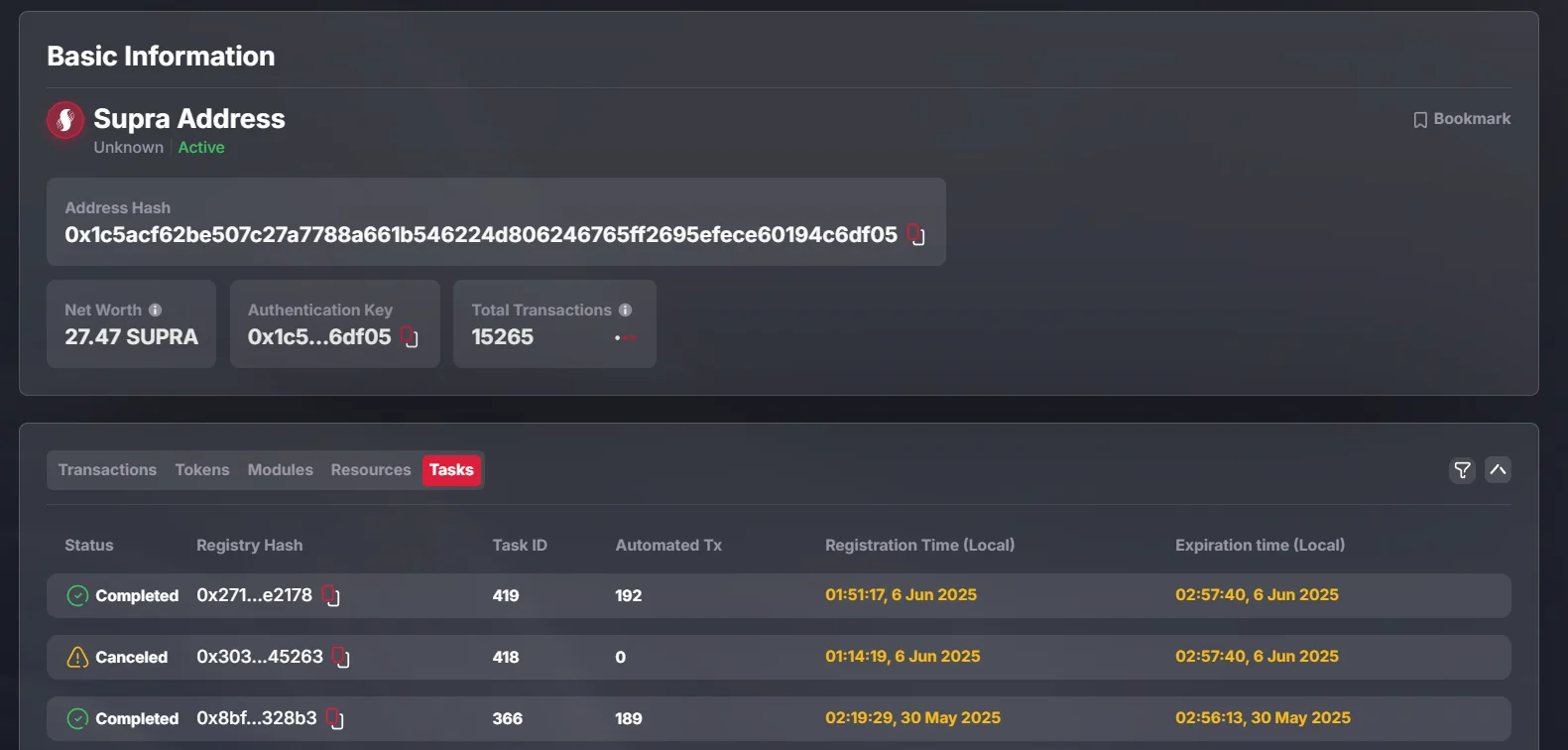
Monitoring Your Automation on SupraScan
- Visit SupraScan
- Enter your deployer address
- Go to “Tasks” tab
- Verify task is active
Last updated on