Add iAssets to Starkey Wallet
Open the Starkey Wallet app.
Tap the “Manage Token” option (pencil icon).
This will open the token management window.
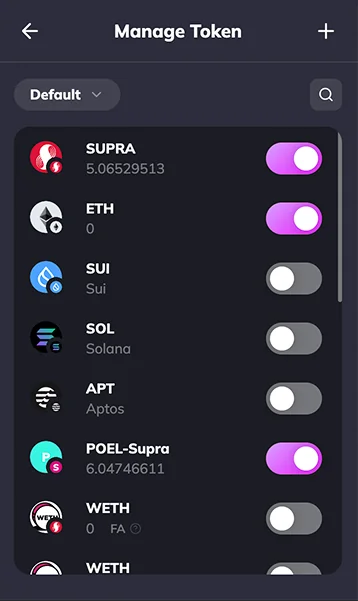
Click the ”+” (plus icon) to add a new custom token.
In the new window:
- Select the network as Supra.
- Paste the contract address for the token you want to add (e.g., iETH, iUSDC, iSolvBTC, iSUPRA, etc.).
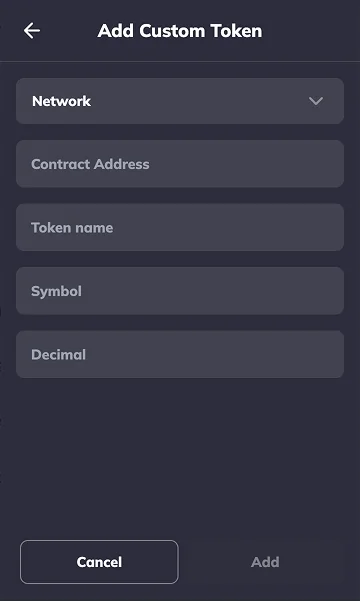
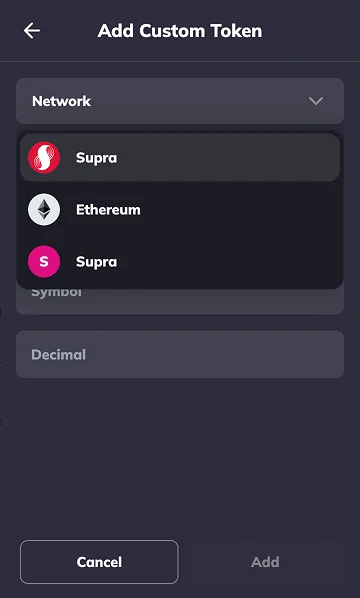
Once the contract address is entered
- The Token Name, Symbol, and Decimals will populate automatically.
- Review the details and click Confirm.
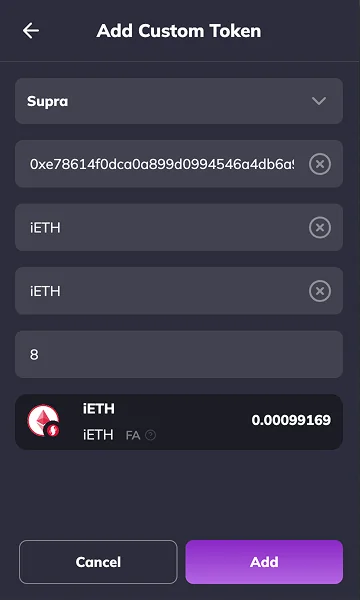
After confirmation:
The token will be added and shown on your wallet dashboard.
Contract Address Details
You can find the official contract addresses here:
Last updated on