Bridge Tokens
This guide describes how to transfer assets with the SupraNova application. The same flow applies to every route. The networks and assets available depend on the release environment.
| Environment | Application | Routes |
|---|---|---|
| Mainnet | supranova.ai | Ethereum ↔ SupraMVM |
| Testnet | testnet.supranova.ai | Sepolia ↔ SupraMVM; SupraMVM ↔ SupraEVM (on Devnet chains) |
Before you begin
A transfer requires one wallet on each side of the route:
| Chain | Wallet |
|---|---|
| Ethereum or SupraEVM | An EVM wallet, such as MetaMask or StarKey Wallet |
| SupraMVM | StarKey Wallet |
- The source wallet must hold enough of the source chain’s native token to pay for gas.
- On SupraMVM Devnet, claim PEPE and DOGE from the application’s Faucet page. The Faucet page serves SupraMVM Devnet only. Get test SUPRA from the Supra Faucet.
- Every transfer must fall within the per-request limits of its asset. See Transfer Limits.
Transfer assets
Connect wallets
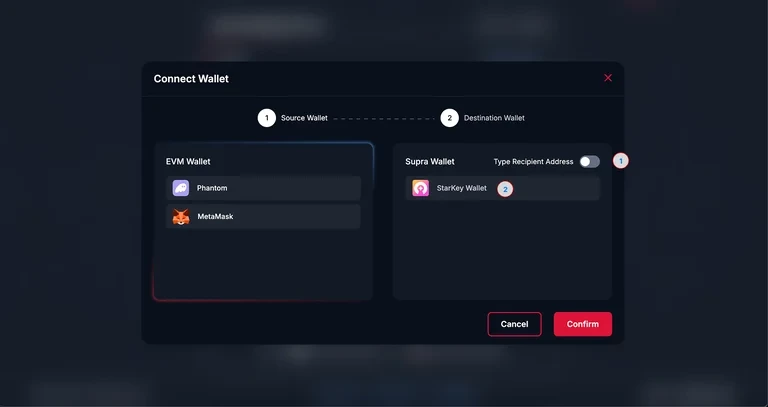
Select Connect Wallet. Connect the source chain’s wallet as the source wallet and the destination chain’s wallet as the destination wallet. If a wallet is not yet configured for the selected network, the application offers to add the network. To send to a different address, enable Type Recipient Address and enter a valid address on the destination chain.
Enter the transfer
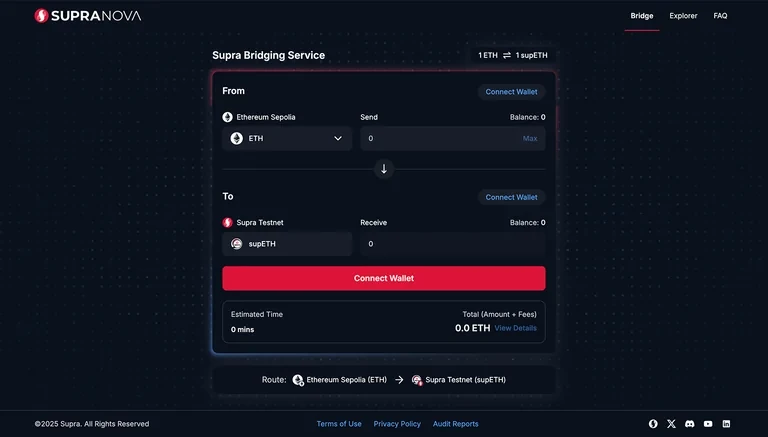
On the Supra Bridging Service page, select the source network, the destination network and the asset, then enter the Transfer Amount. The page shows the Estimated Time and a fee breakdown.
Review
Select Review. The Review Your Transaction screen summarizes the transfer. To change any detail, select Edit.
For a transfer from SupraMVM, you can enable Fast Mode to have SupraNova relayers process the transfer with priority. Fast Mode is optional and does not change the fee.
Approve the token
For an ERC-20 token sent from an EVM chain, the Token Bridge needs an allowance for the amount you send. If the existing allowance is lower than that amount, select Approve and confirm the approval in the wallet. This step does not apply to ETH or to transfers from SupraMVM.
Confirm
Select Confirm and sign the transaction in the source wallet. The status changes to Transfer Initiated!.
Track the transfer
When the asset reaches the recipient, the status changes to Transfer Success. Select Transaction Details, or open Explorer > My Transactions, to view both the source and destination transactions.
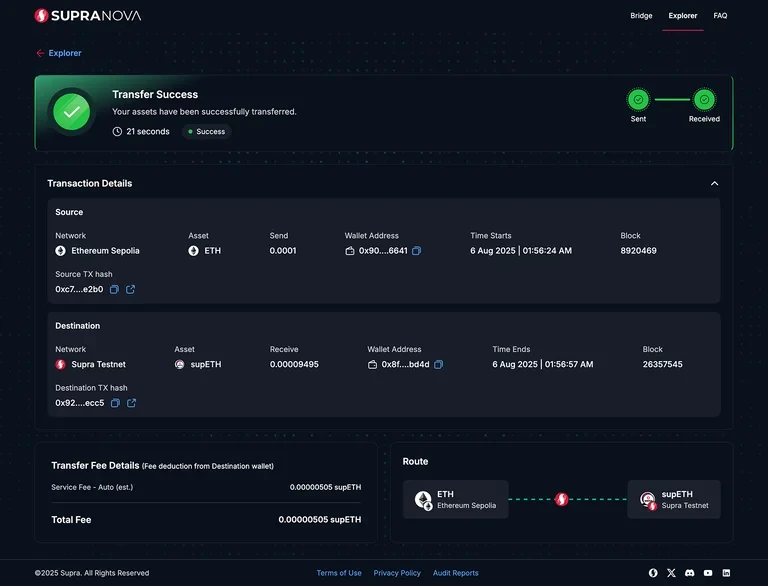
After the transaction is confirmed on the source chain, the asset is already burned or locked, and you cannot cancel the transfer. Check the recipient address before you confirm.
After confirmation, a relayer delivers the transfer to the destination chain. The destination chain verifies the transfer before the Token Bridge mints or releases the asset. Cross-Chain Message Flow describes each stage.
Related
- Track a Transfer
- Troubleshooting — meaning of the messages the application shows
- Fees
- Supported Tokens